
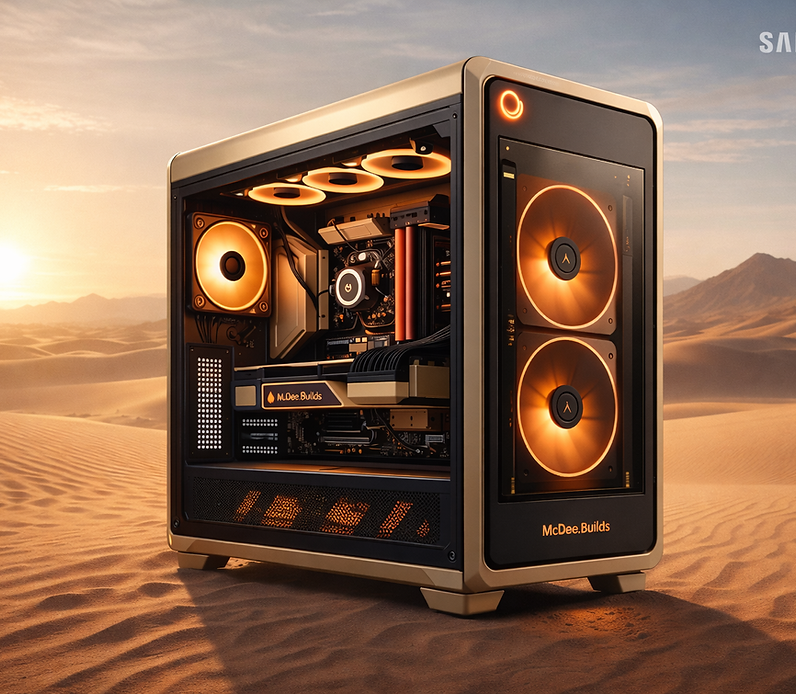
Our Story:
McDee.Builds began with a simple obsession — chasing a few extra frames. Late nights spent tweaking, testing, and rebuilding turned into a quiet pursuit of perfection. It wasn’t about showing off specs; it was about feeling the performance, the flow, the connection between creator and machine.
What started as one build became dozens. Then came requests. Then a vision — to bring that same precision, creativity, and care to every gamer who wants more than just “a PC.”
…
Welcome, Gamers.
Between power and imagination — we exist.
What started as tweaking my own rig for a few more frames turned into something bigger - a pursuit of design and performance for an experience that felt out of this world.
Now, every build carries that same energy — crafted with intent, tuned for precision, and built to go beyond what’s expected.
At McDee.Builds, we don’t just assemble parts.
We shape experience — where looks meet power, and passion becomes performance.
Affordable for all. Designed for the unstoppable.
Instagram: @mcdee.builds
Support: support@mcdeeprods.com

Temp Pc Description for sale.
Temp Pc Description for sale.
Custom PC Builder
Custom Build
Total: $0
Pick a budget to enable guidance.
Step 1 – Budget & Use Case
Choose your budget range and how you plan to use your PC. This helps us recommend the right parts.
Step 2 — Case, Cooling & Cpu.
Your case sets the look of your build and determines which parts will fit. Your CPU is the brain of the system — we’ll help you pick one that matches your budget and performance goals without bottlenecking your GPU.


We’ll recommend CPUs that balance frames-per-second, multitasking, and future upgrade options.
I'm a paragraph. Click here to add your own text and edit me. It's easy.
Step 3 — Choose Your Motherboard and Build Theme
Your motherboard controls what CPU, RAM, storage and future upgrades you can use. We’ll only show boards that match your chosen CPU platform.

Step 4 — Choose Your RAM
RAM affects how smooth your PC feels when gaming, streaming and multitasking. We’ll match RAM speed and type to your motherboard so everything stays compatible.
For most gaming builds, 16–32GB is ideal. We’ll make sure your RAM speed matches what your CPU and motherboard can actually use.
Step 5 — Choose Your Graphics Card
Your GPU determines your gaming performance and frame rate. We’ll match GPUs to your budget and make sure they don’t bottleneck your CPU.
Once selected, we’ll show expected performance in Fortnite, Valorant and CS2.
Step 6 — Storage Options
Choose how much fast storage you want for Windows and your main games, plus optional extra space for clips, files and backups.
I'm a paragraph. Click here to add your own text and edit me. It's easy.
Step 7 — Power Supply
Your PSU needs to match your CPU and GPU’s power requirements. We’ll only show wattages and models that safely support your build.
Step 8 — Extras, Notes & Contact Details
Add any optional upgrades, extra parts, or specific details you want included. Then provide your email so we can send your final build summary and invoice.
Step 9 — Review & Submit Your Build
Here’s a summary of your custom PC build. Once you submit, we’ll review it, calculate the final price, and send your invoice within 24 hours.
I'm a paragraph. Click here to add your own text and edit me. It's easy.
(No budget + No use case) Custom Build
• Case: Not selected
• Cooling: Not selected
• Theme: Not selected
• CPU: Not selected
• Motherboard: Not selected
• RAM: Not selected
• GPU: Not selected
• Primary Storage: Not selected
• Secondary Storage: None
• PSU: Not selected
• Extras: None
DISCOVER OUR CATEGORIES


JOIN OUR COMMUNITY
Subscribe to our newsletter for the latest updates and exclusive offers

